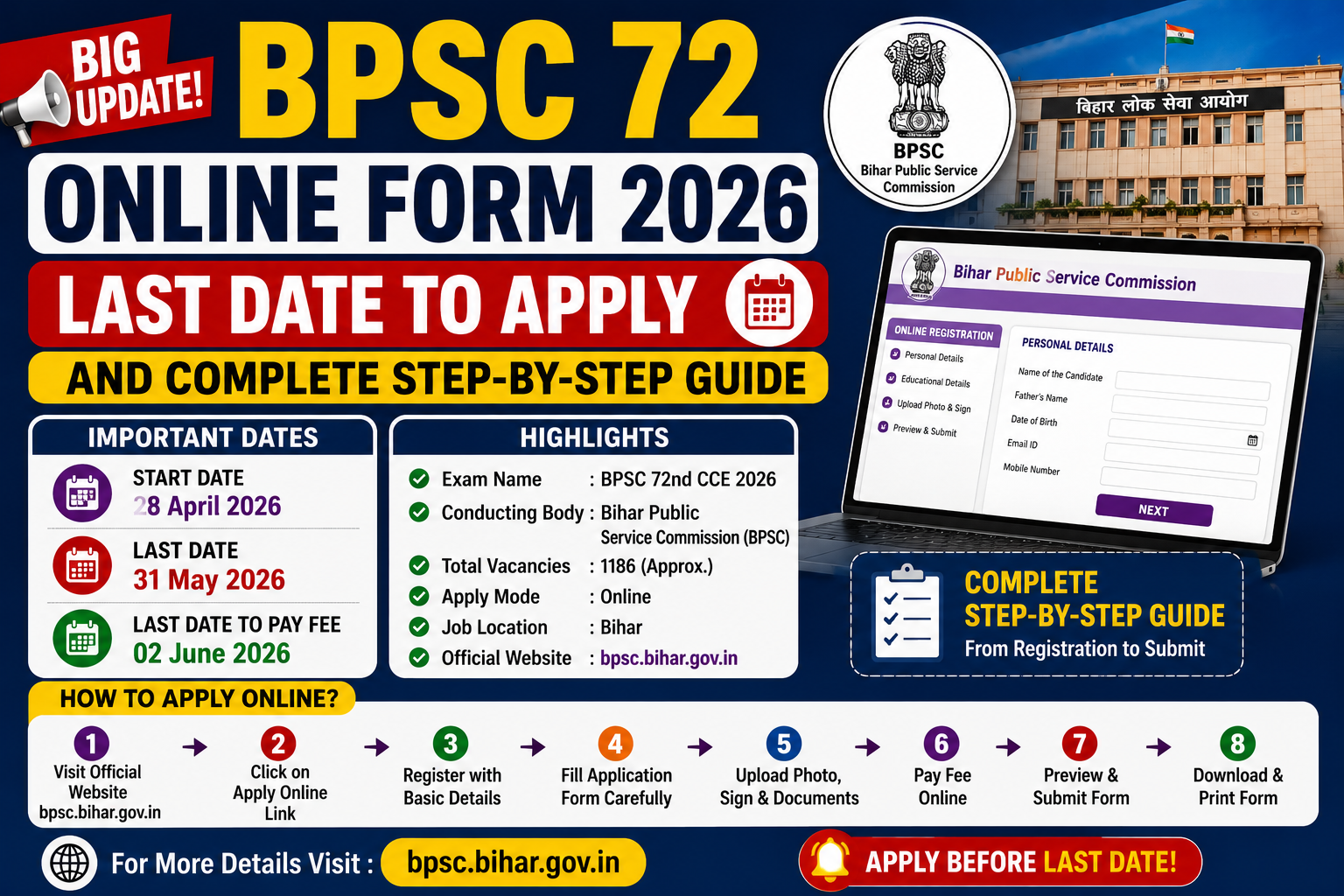
The Bihar Public Service Commission (BPSC) has announced the last date for the 72nd Combined Competitive Examination (CCE) 2026 online application as May 31, 2026. If you haven’t applied for this prestigious examination yet, this is your final opportunity to secure a spot. In this comprehensive guide, we will walk you through the entire process of filling out the BPSC 72 Online Form 2026, including important dates, registration steps, and essential tips to ensure a successful submission.
BPSC 72 CCE 2026: Key Dates at a Glance
The application window for the BPSC 72nd CCE 2026 opened on May 7, 2026. With the deadline fast approaching, it is crucial to have all your documents ready to avoid any last-minute technical glitches or rush.
| Event | Date |
| Online Application Start Date | May 7, 2026 |
| Last Date to Apply Online | May 31, 2026 |
| Preliminary Examination Date | August 26, 2026 |
How to Apply: A Step-by-Step Guide
The process for the BPSC 72 Online Form 2026 is divided into several clear phases, starting from One-Time Registration (OTR) to the final fee payment.
1. One-Time Registration (OTR)
First, visit the official BPSC online portal at https://onlinebpsc.bihar.gov.in/. If you are a new user, click on the ‘New Registration’ tab to complete your One-Time Registration (OTR).
Details required for OTR:
•Email & Mobile Number: Provide a valid email and mobile number. Click ‘Get OTP’ and verify the codes sent to you. Ensure your mobile number is linked to your Aadhaar card for smoother verification.
•Password Creation: Create a strong password using a mix of capital letters, small letters, special characters, and numbers.
•Personal Information: Enter your name, father’s name, mother’s name, and date of birth exactly as they appear on your Matriculation (10th) certificate.
•Identity Proof: Choose between Aadhaar Card, PAN Card, or Driving License and enter the corresponding number.
•Security Questions: Answer basic questions like your 10th passing year, board name, 12th passing year, blood group, and favorite sports person.
•Captcha: Fill in the captcha code and click ‘Register’ to proceed.
2. DigiLocker Verification
After registration, you will be redirected to DigiLocker. If you already have an account, log in using your mobile number or username. If not, sign up for a new account. Verifying your documents via DigiLocker is a mandatory step that helps in authenticating your identity and credentials instantly.
3. Login and Profile Update
Once OTR and DigiLocker verification are complete, log in using your credentials. You must then update your profile with the following details:
•Marital Status: Select your current marital status.
•Identification Mark: Mention any visible mark like a mole, cut, or burn on your face, hands, or feet. If none, enter “No Mark.”
•Residency: Confirm if you are a permanent resident of Bihar. Residents are eligible for specific category benefits and must provide their Residence and Caste certificates.
•Other Categories: Select ‘Yes’ or ‘No’ for categories such as Freedom Fighter descendants, PWD candidates, Ex-servicemen, NCC cadets, or Government Employees.
4. Address Details
You need to provide two types of addresses: Permanent and Correspondence (Current). If both are the same, simply use the ‘Same as Above’ option to save time.
5. Educational Qualifications
This is the most critical part of the BPSC 72 Online Form 2026. You must enter detailed information about your academic background:
•10th & 12th Standard: Enter the passing year, board name, marks obtained, total marks, percentage, academic duration (in months), roll number, and date of passing.
•Graduation/Post-Graduation: Provide similar details for your degree or diploma. Ensure all dates match your official mark sheets.
6. Final Submission and Fee Payment
After filling in all details, preview your application to ensure accuracy. Proceed to the online payment section to pay the application fee. Once the payment is successful, click ‘Final Submit.’ Don’t forget to download and print a copy of your application form for future reference.
Essential External Links
•BPSC Online Application Portal: https://onlinebpsc.bihar.gov.in/
•Official BPSC Website: https://bpsc.bihar.gov.in/
•BPSC 72nd Notification Details (Adda247): https://www.adda247.com/exams/bihar/bpsc-72nd-cce-notification-2026/
•BPSC Exam Updates (Testbook): https://testbook.com/news/bpsc-72nd-notification-2026-out/
Conclusion
Filling out the BPSC 72 Online Form 2026 is the first step toward a rewarding career in the Bihar Civil Services. While the process may seem detailed, following this guide step-by-step will help you complete it without errors. Remember, the last date is May 31, 2026, so act now!
Also read: June 2026 New Government Jobs: 8 Latest Recruitments for 8th, 10th, 12th Pass & Graduates
3 thoughts on “BPSC 72 Online Form 2026: Last Date to Apply ||Complete Guide”